skip to navigation | skip to content

eMedia Free Guitar Tuning Reference Notes

A basic and time-honored method to tune a guitar string is to:

  1. Play the string against a fixed reference sound and listen carefully to both sounds.
  2. Match the sounds by turning the tuning peg on the guitar.
You can use a pitch pipe, a tuning fork or another guitar string (assuming it’s in tune) or use the handy audio files included right here on this page!

Click on a yellow button to hear a reference note for tuning your guitar:

low E stringA stringD stringG stringB stringhigh E string

Get the eMedia Automatic Tuner when you buy our educational guitar software

Using an electronic guitar tuner is faster and easier than tuning by ear to a reference note. Each of eMedia’s guitar-related instructional products (Guitar Method, Intermediate Guitar Method, Rock Guitar Method, My Guitar, Blues Guitar Legends, and Guitar Songs) comes specially equipped with eMedia’s Automatic Tuner software.

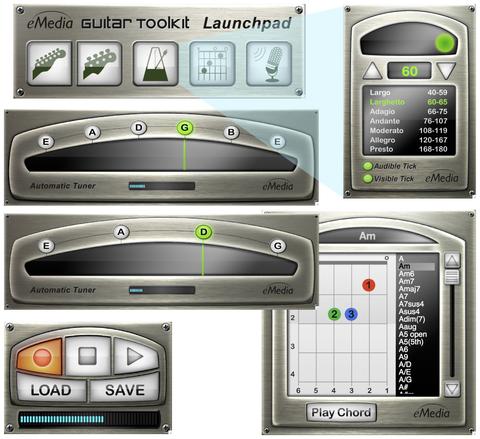
With a microphone connected to your computer (or built-in to your monitor), our software turns your computer into a simple and elegant digital guitar tuner. Play your guitar string reasonably close to your microphone, and the tuner displays whether you need to tune up or tune down. When the string is in tune, the indicator arrow lights up green (as illustrated below). The Automatic Tuner is just one of the many fun ways that eMedia software makes learning guitar easy.

(Sample image)

eMedia's Automatic Tuner application

eMedia Guitar Method Volume 1

Get the Automatic Tuner included with eMedia Guitar Method or any of the above mentioned titles.

If you have any questions, please send an email to eMedia Customer Service.